Thank you so much for joining us for our 26/27 Season! Now let’s book your seats.
To redeem Flex Pass vouchers online for The Front Page or All the World, please follow the instructions below. Vouchers may be redeemed for any show in the season by calling Patron Services at 847.563.8400.
Step One
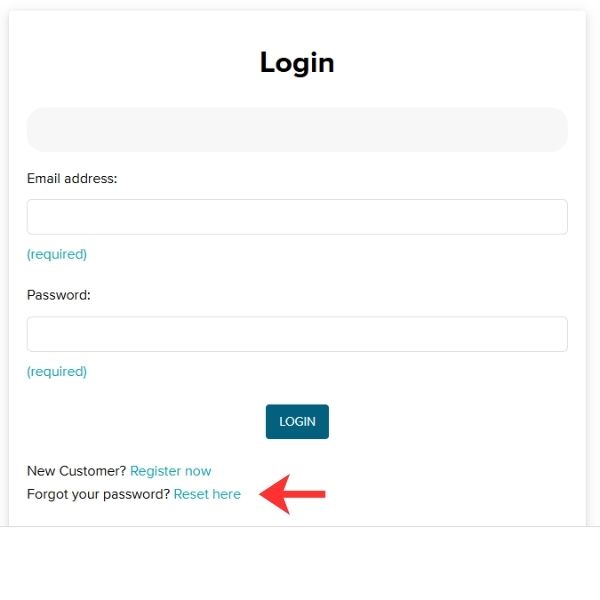
Visit purchase.northlight.org, and click “Login” in the top right corner. Enter the email address you used to purchase your Flex Pass. If you have logged in previously and know your password, enter it and continue! If you have not yet logged in, click “Reset here” next to “Forgot your password?” under the Login button. You will be sent an email with instructions to reset your password. Use the link provided in the email.
Step Two
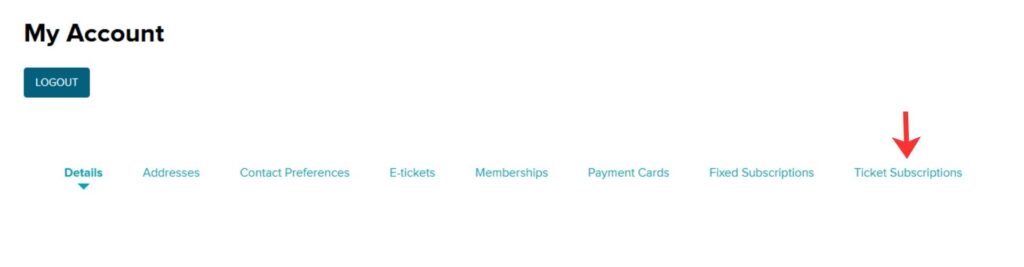
Once you are logged in, you will be on your “My Account” page. You can see how many Flex Vouchers you have remaining by clicking “Ticket Subscriptions.”
Step Three
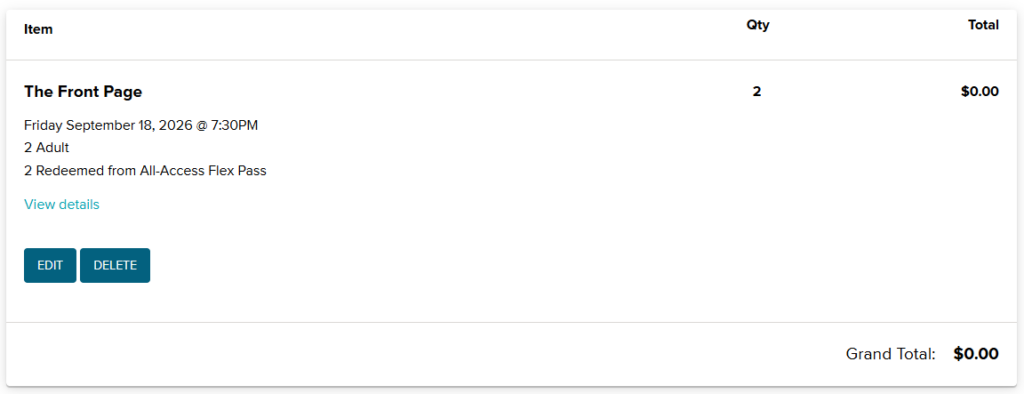
To redeem vouchers, click on Events in the top navigation bar. Then choose the event and seats you’d like to attend. Vouchers will apply automatically to qualifying seats. If your voucher has not applied, please double-check that you have chosen seats/dates that qualify under your Flex Pass plan.
Step Four
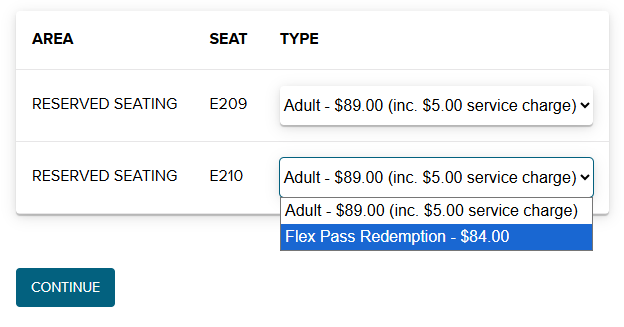
After you choose your seat, choose the Flex Pass Redemption type for each voucher you’d like to redeem. The voucher will apply when you click “Continue,” and it will show as $0.00 in your cart.
Step Five
Click “Checkout,” then choose a delivery method and optional donation. Finish your order by clicking “Confirm Order.”
And with that, you’re all set, and your tickets to The Front Page and All the World have been booked!